
Build Trust with Your AI
See every suggestion. Decide what lands.
Wisary makes suggestions, asks questions, and refines your work as you go. You stay in control without slowing down. Every AI suggestion is shown as a reviewable diff, and every question explains why it matters; Insights gives you a running view of what the AI has surfaced and what’s still unresolved.
Transparent AI Refinement
When Wisary's AI suggests a change to your document, you should be able to see exactly what it proposes and decide whether you agree. Transparent AI Refinement surfaces every suggestion as a reviewable diff, and every question it asks shows its impact and a short reason. You also decide what to engage with: dismiss a question that doesn’t apply, and keep working anywhere in the document while a review runs.
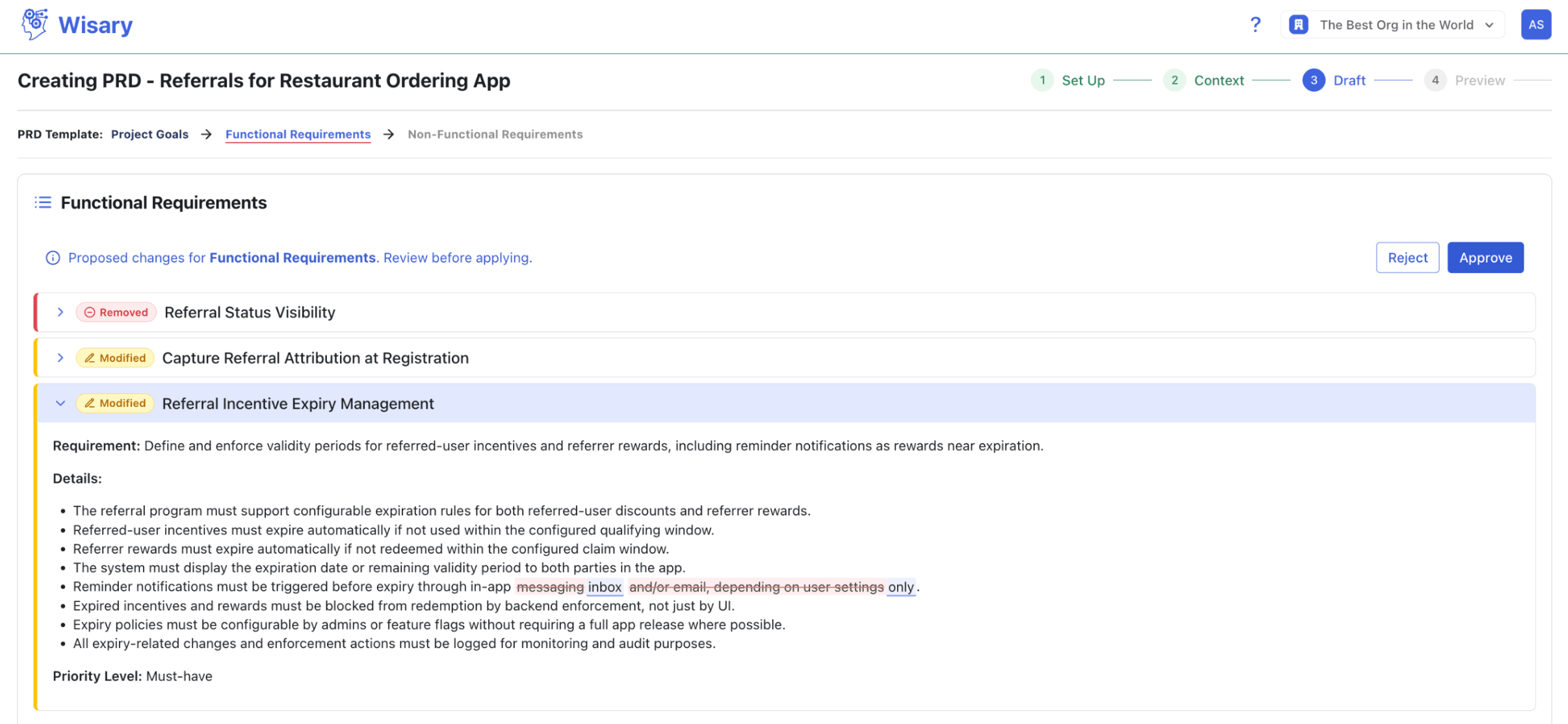
1. Inline visual diffs
What changed is shown at the level of the actual change, not the whole document. Scan, accept, or edit without rereading the section.
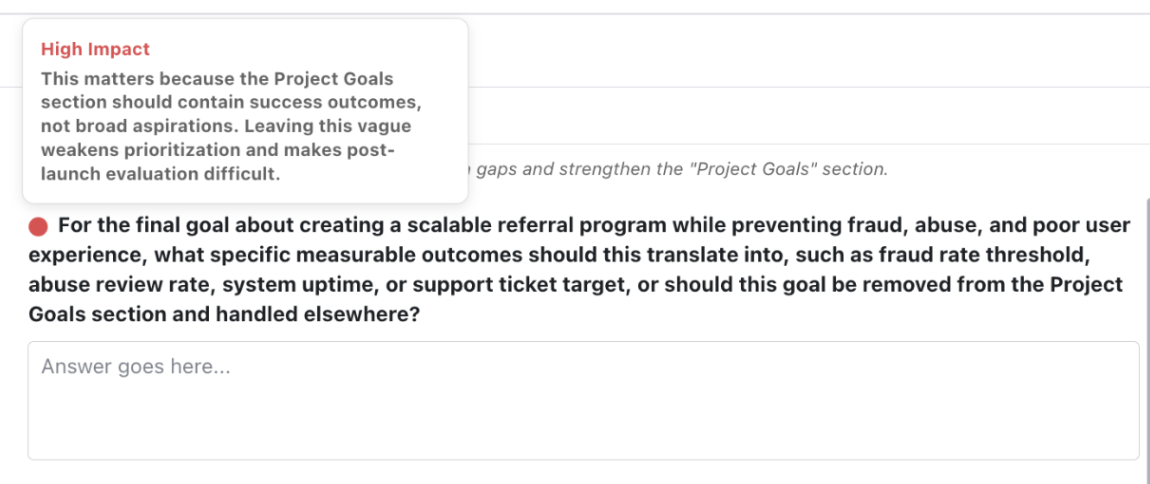
2. Every question explains why it matters
Each guided question shows its impact and a short reason: what it’s responding to, why you should care. Click to expand. Zero cost if you don’t engage, real value when you do.
Insights
When AI is woven into your work, it gets hard to tell what it actually contributed. Insights gives you a running view of what the AI helped surface, which decisions were yours versus filled in by AI, and what’s still open.
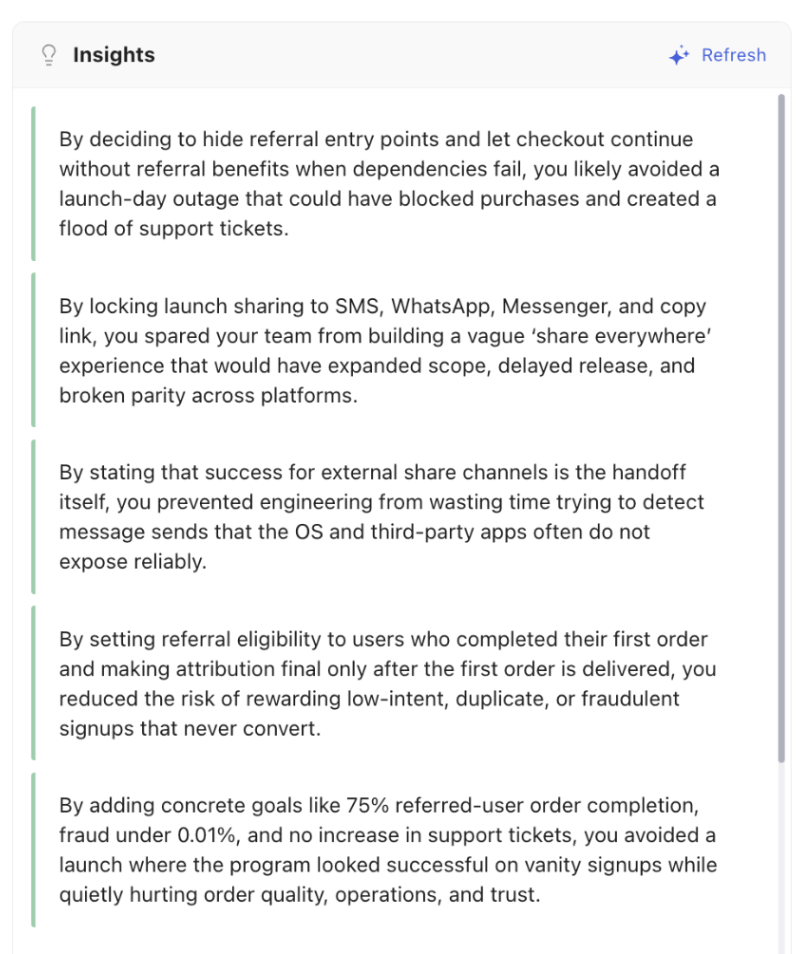
1. Your decisions vs. AI assumptions
Insights distinguishes choices you made explicitly from assumptions the AI filled in. Useful for reviews and for spotting places worth a second look.
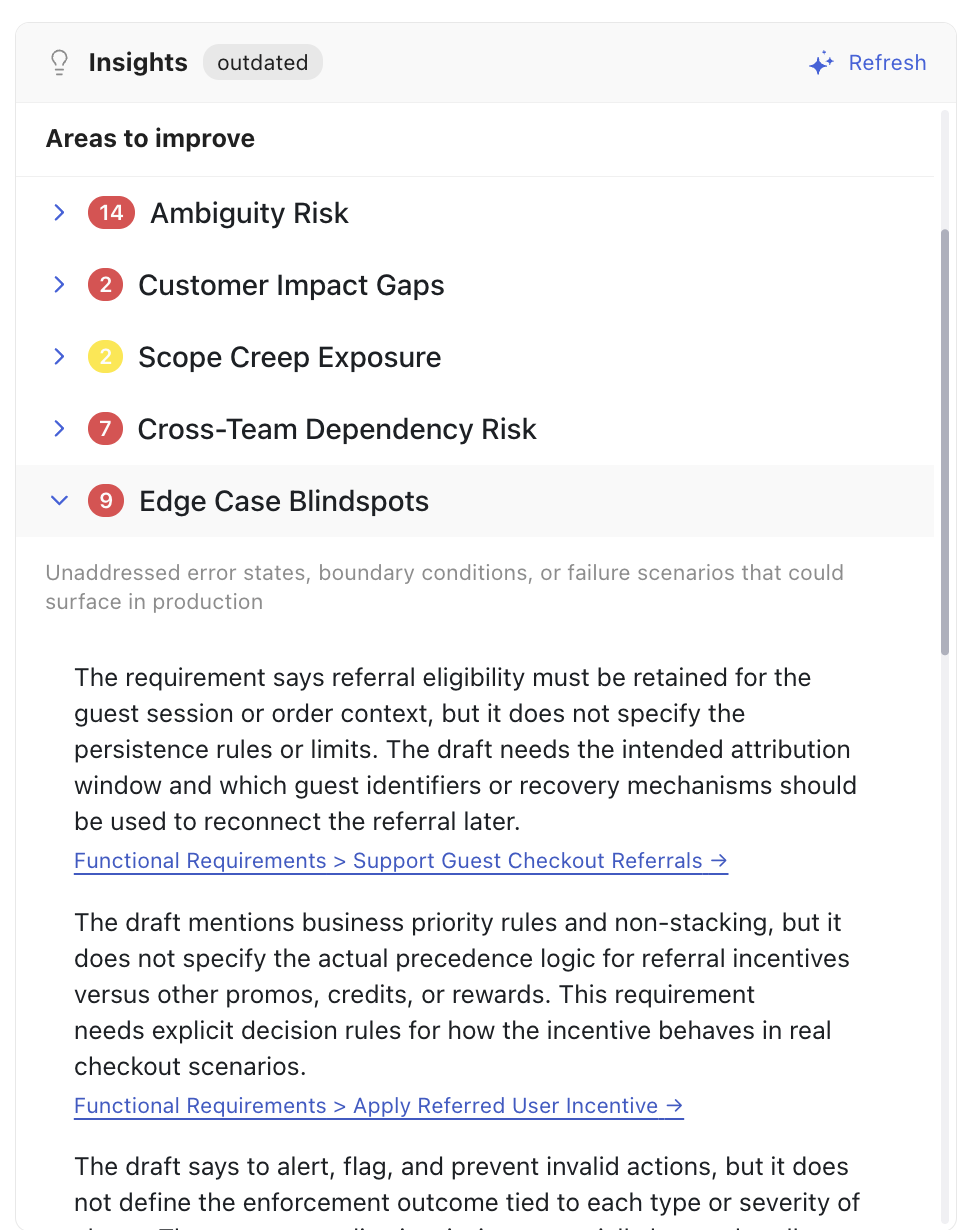
2. Aggregate view of remaining gaps and ambiguities
Insights pulls every open question, unresolved gap, and ambiguity the AI has surfaced into a single view. The status of the document at a glance, instead of buried section by section.
No. Every AI suggestion is shown as a reviewable diff that you can scan, accept, or edit. Nothing is applied behind your back, so you stay in control without rereading the whole document.