
AI Guided PRD Creation
Wisary asks the right questions to guide you in crafting PRDs that ensure everyone, from product to engineering to stakeholders, starts and stays on the same page.
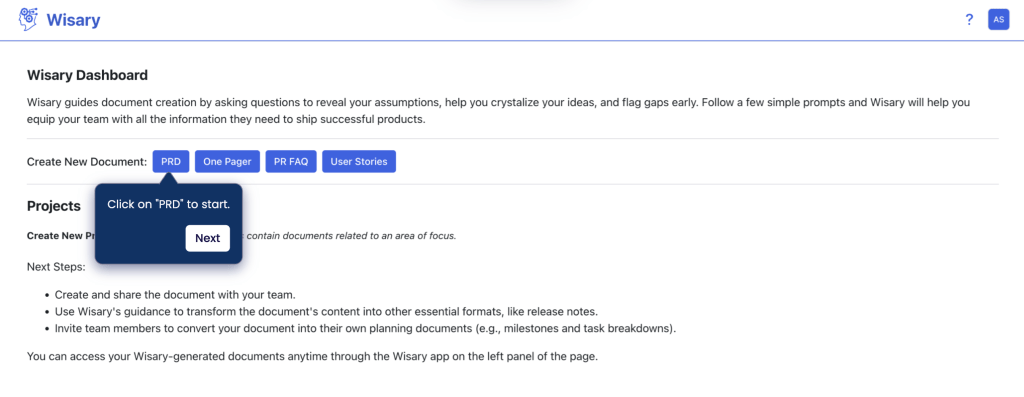
1. Select Document Type (PRD)
Select the document type to create between PRD, One Pager, PR FAQ, and others
2. Select Document Template
You can choose one of the standard templates, or a custom template your organization admins created in organization settings. The template locks in once the document is created, so pick it here. Learn more on the Custom Templates page.

3. Provide Background Context
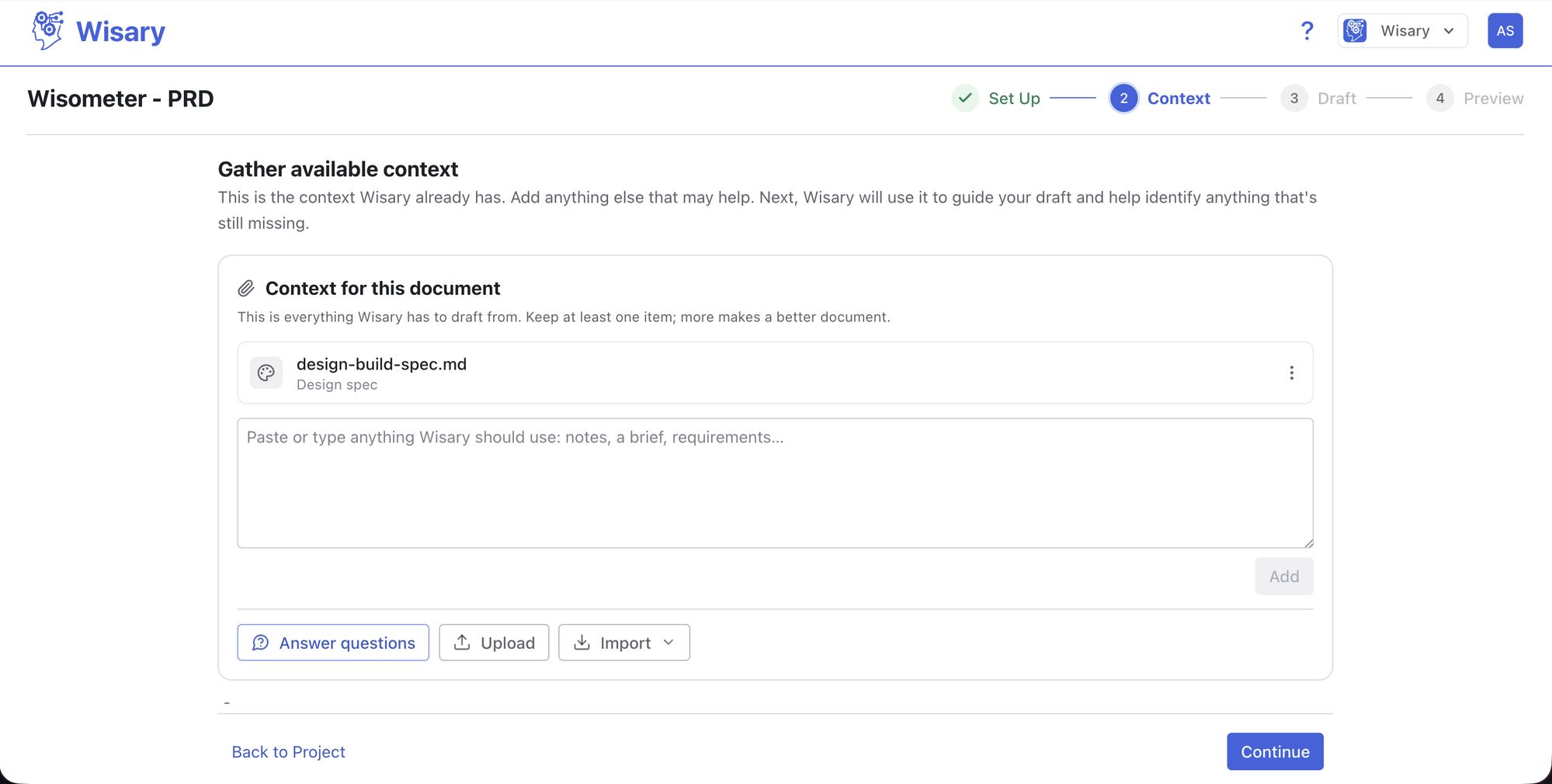
Type in the document name, then add your context: answer the guided questions matched to your template, upload files, add notes, or import from Notion, another Wisary document, an AI conversation, or Claude Design. Click Continue when done.
4. Review First Document Section Draft
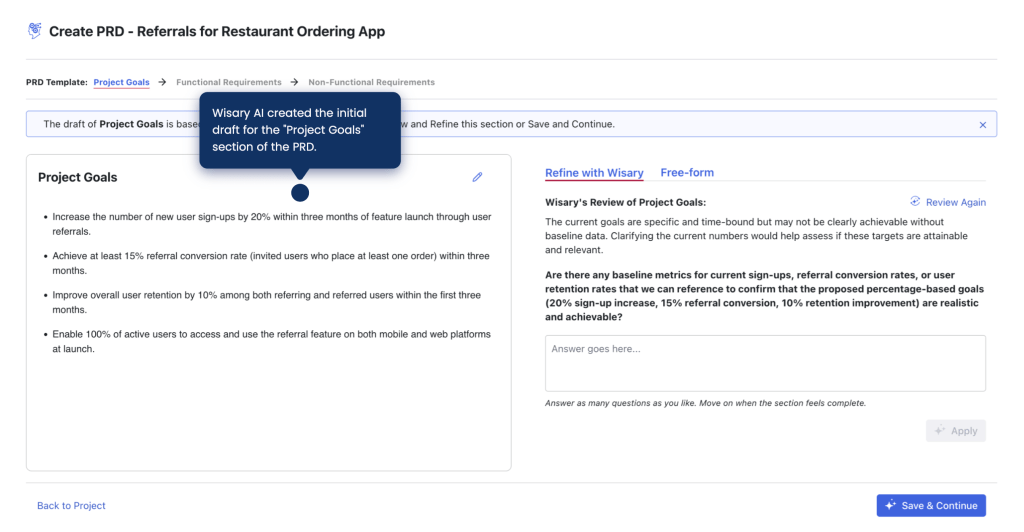
Wisary AI creates the initial draft of the first document section and identifies the questions you should answer to make it complete.
5. Refine the Document Section
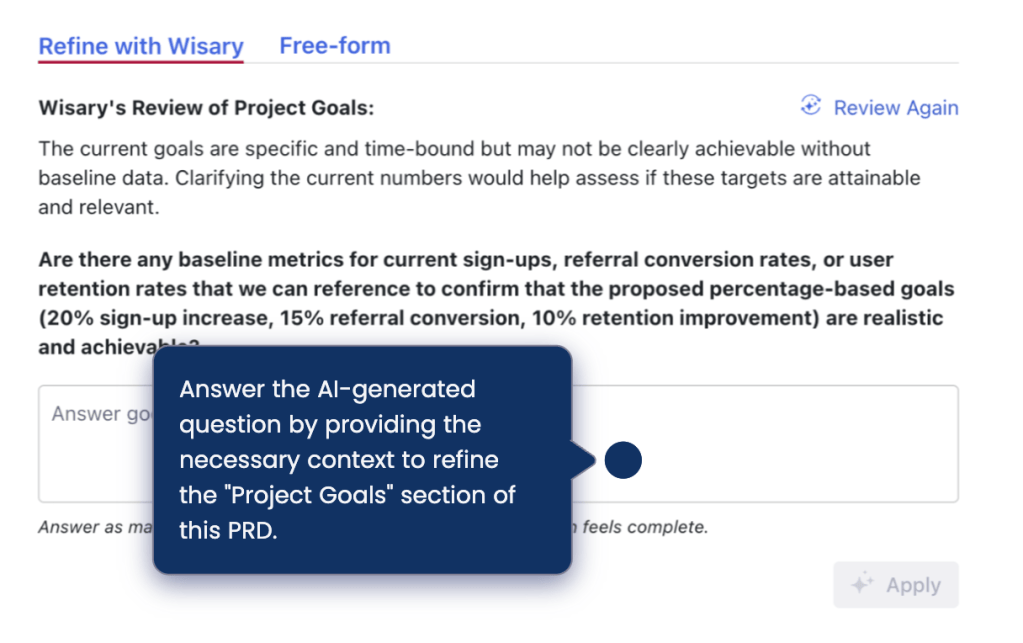
Answer the questions and click Apply. Every AI suggestion appears as a reviewable diff, so you can see exactly what changed and approve or reject it. If a question doesn’t apply, dismiss it, and keep working anywhere in the document while a review runs.
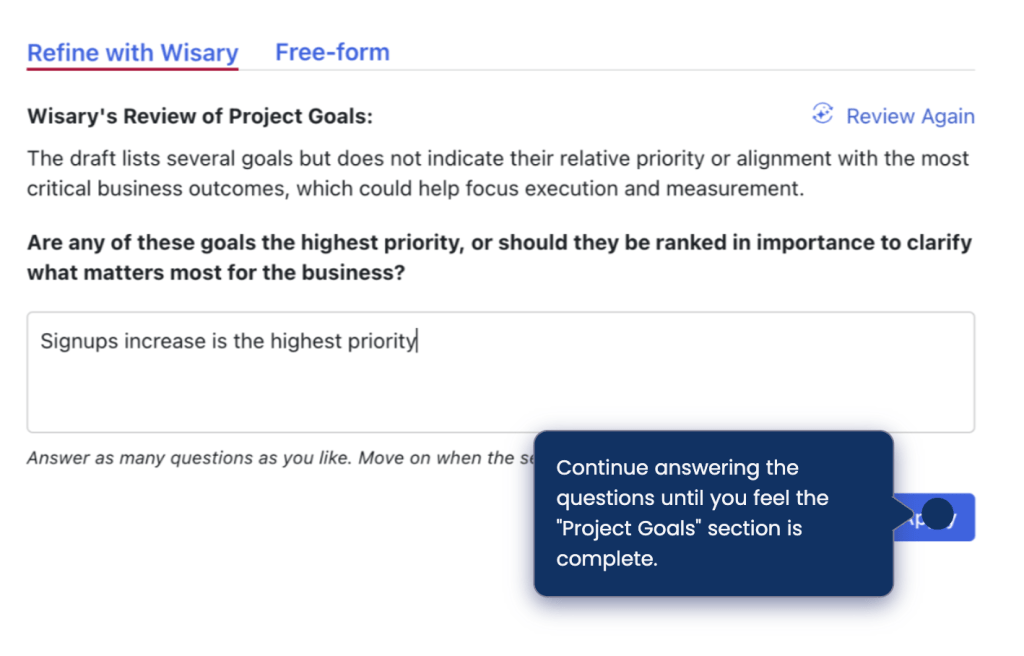
6. Repeat the Refinement With Every Document Section
Once you answered a few questions and you feel that this document section is complete, move to the next document section and repeat the refinement process. Once you are done refining all the document sections, click “Preview Document”
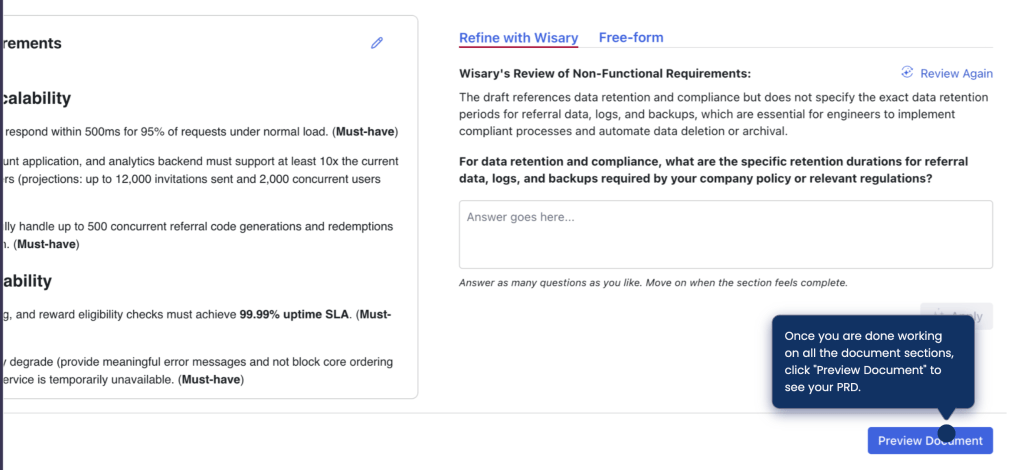
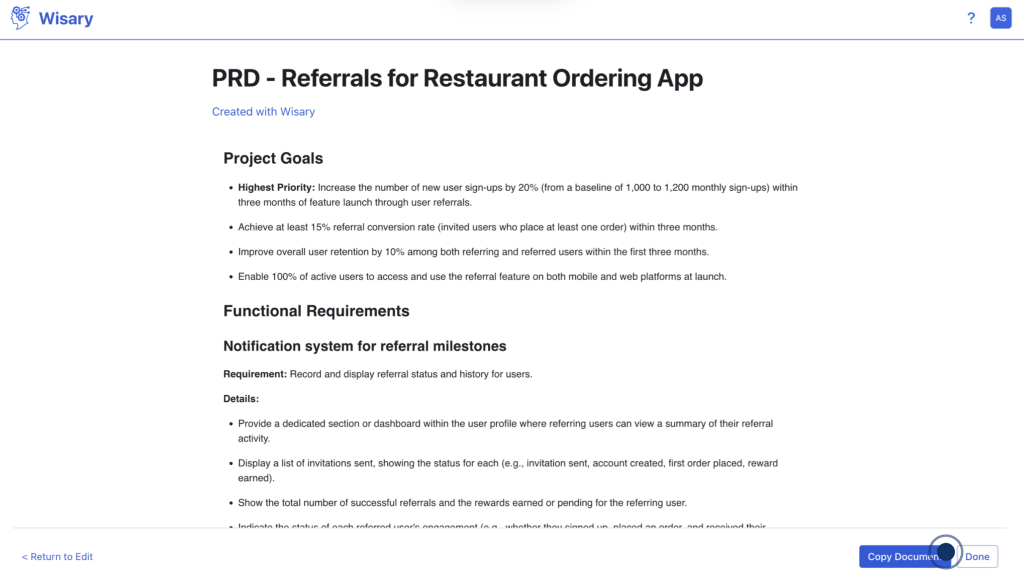
7. Export your PRD
Review the final PRD, then export it straight to Notion as a new page, download it as Markdown for your AI tools, or use “Copy Document” to move it into Google Docs or your favorite document management platform.
Wisary is ideal for Product Leaders and Managers looking to align remote or scaling teams, streamline collaboration, and ensure everyone has the context to deliver the right product. It’s especially valuable for those mentoring junior PMs or working with distributed development teams to standardize processes and accelerate growth.