
Use Existing Context When Creating Documents
Before Wisary can help you write a strong document, it needs the same thing your team does: context. Wisary is designed to start from what you already know, not from a blank page: bring in messy notes, files, Notion pages, other Wisary documents, or the exploration you already did with your AI, and Wisary turns it into shared understanding.
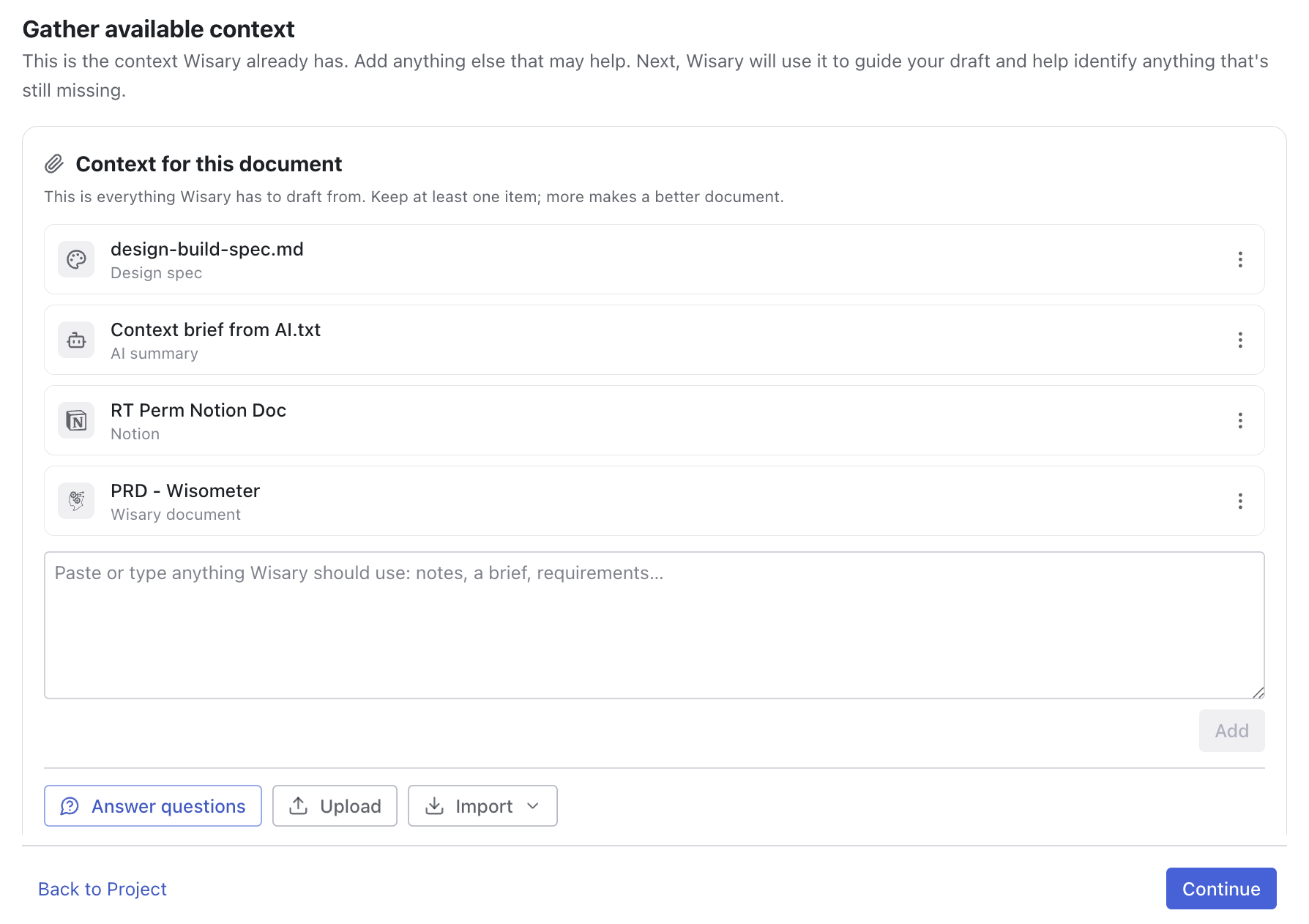
Seven ways to bring context in
Add context while setting up a document, or any time later from the document’s Context step:
- Guided questions: answer the background questions Wisary asks, matched to the document type and template you picked.
- Upload files: add one or many files at once, like PDFs and text documents.
- Add a note: paste or type anything you already have straight into the context box: raw ideas, meeting notes, Slack threads, or transcripts.
- Notion pages: import a page from your connected Notion workspace as a snapshot you can re-sync in one click when the source changes.
- Your other Wisary documents: link an existing Wisary document as context; its current content is used whenever drafts are generated.
- Import from AI: Wisary generates an extraction prompt you run in Claude, ChatGPT, or any other AI, then you paste the returned summary back as a context file.
- Import from Claude Design: ask Claude Design for a build spec of your design using Wisary’s prompt, then upload the downloaded Markdown file as context.
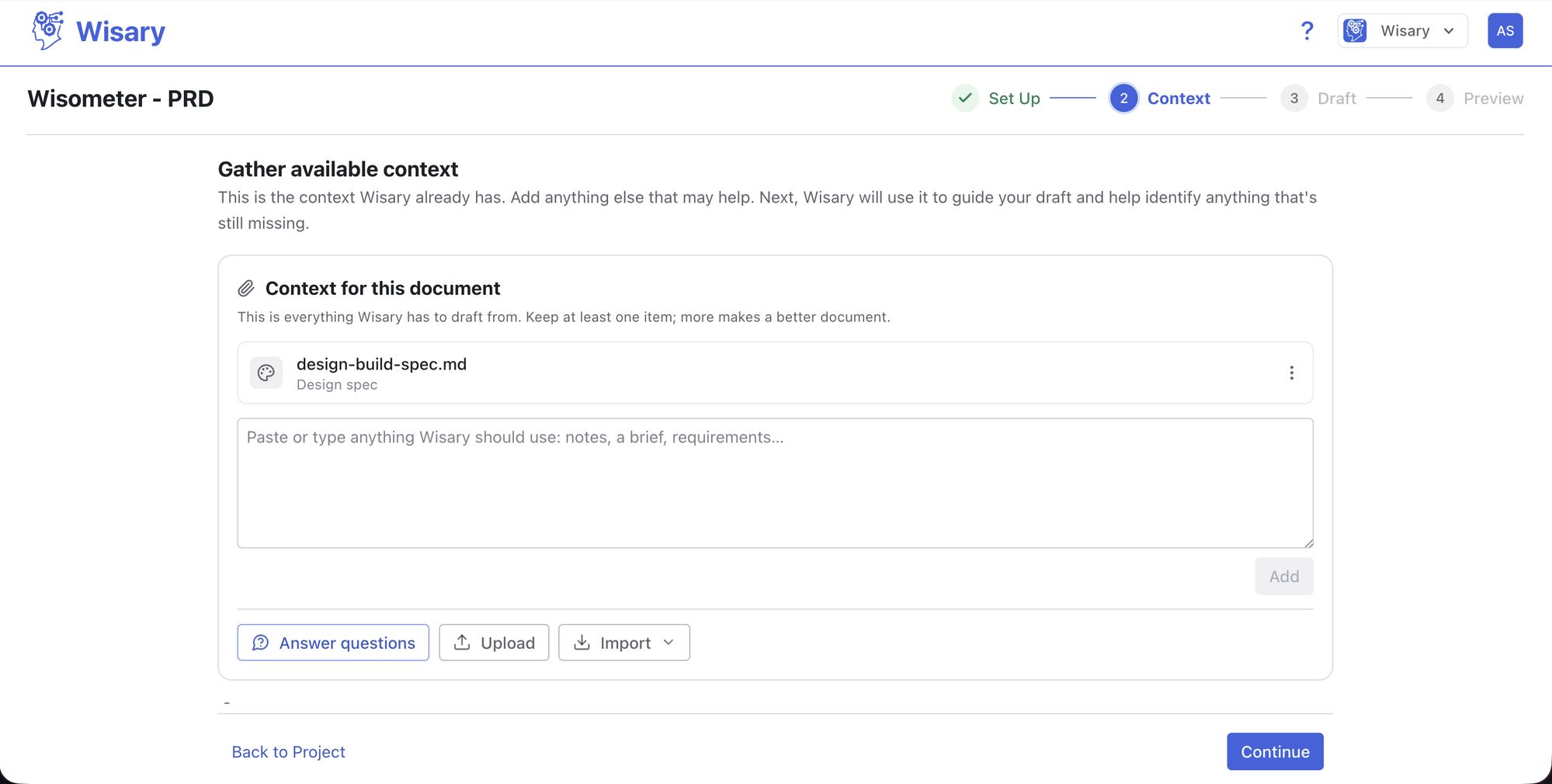
1. Add What You Already Have
Every document has a Context step right after Set Up, and you can return to it any time. Click Answer questions for the background questions matched to your template, Upload to add files, or paste notes, meeting minutes, or transcripts into the box and click Add.
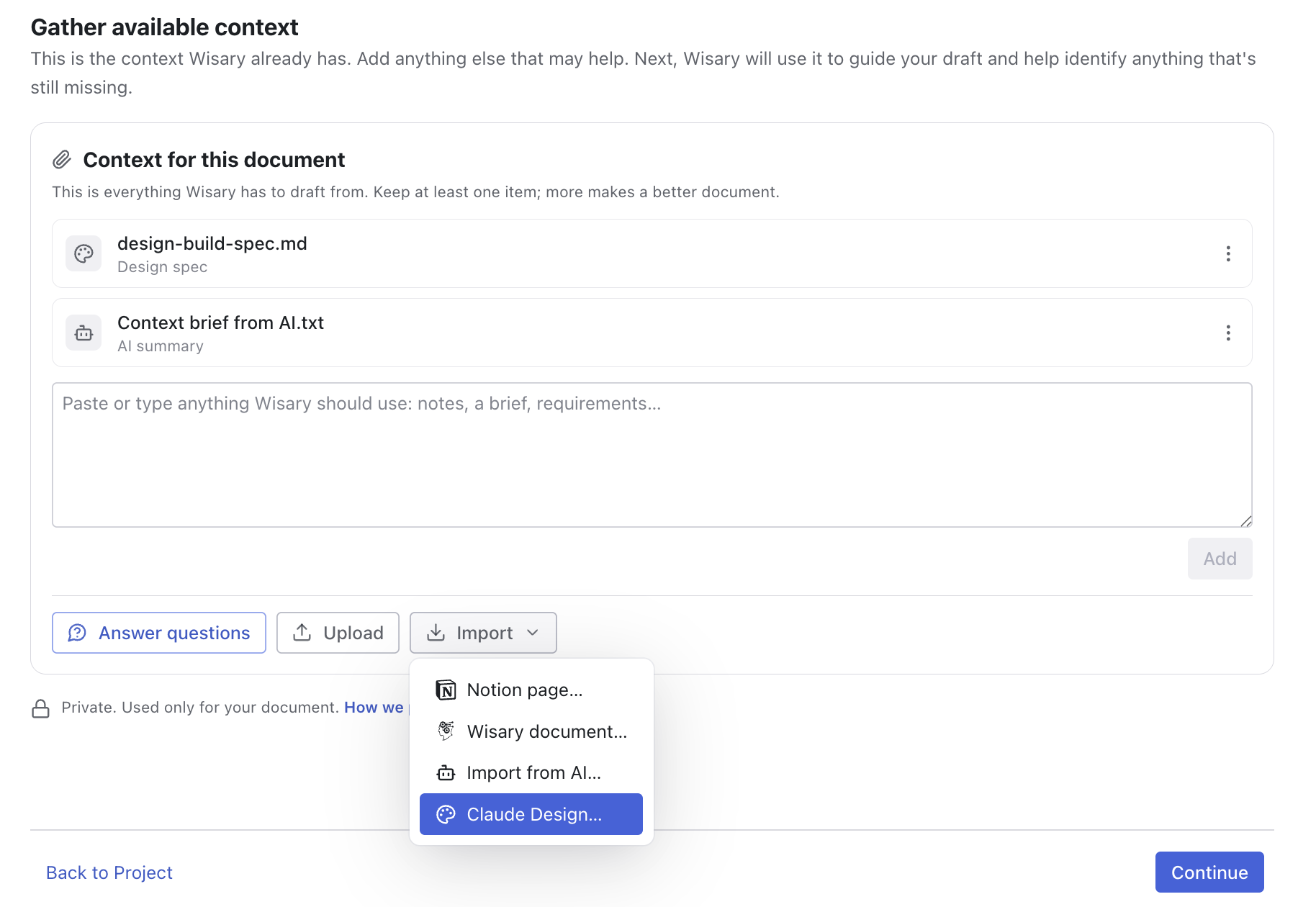
2. Import From Notion, Wisary, Your AI, or Claude Design
Open Import to bring in a Notion page as a snapshot you can re-sync, link another Wisary document so its current content is used whenever drafts are generated, run the extraction prompt in Claude, ChatGPT, or any AI and paste the summary back, or upload the build spec Claude Design writes for your design.
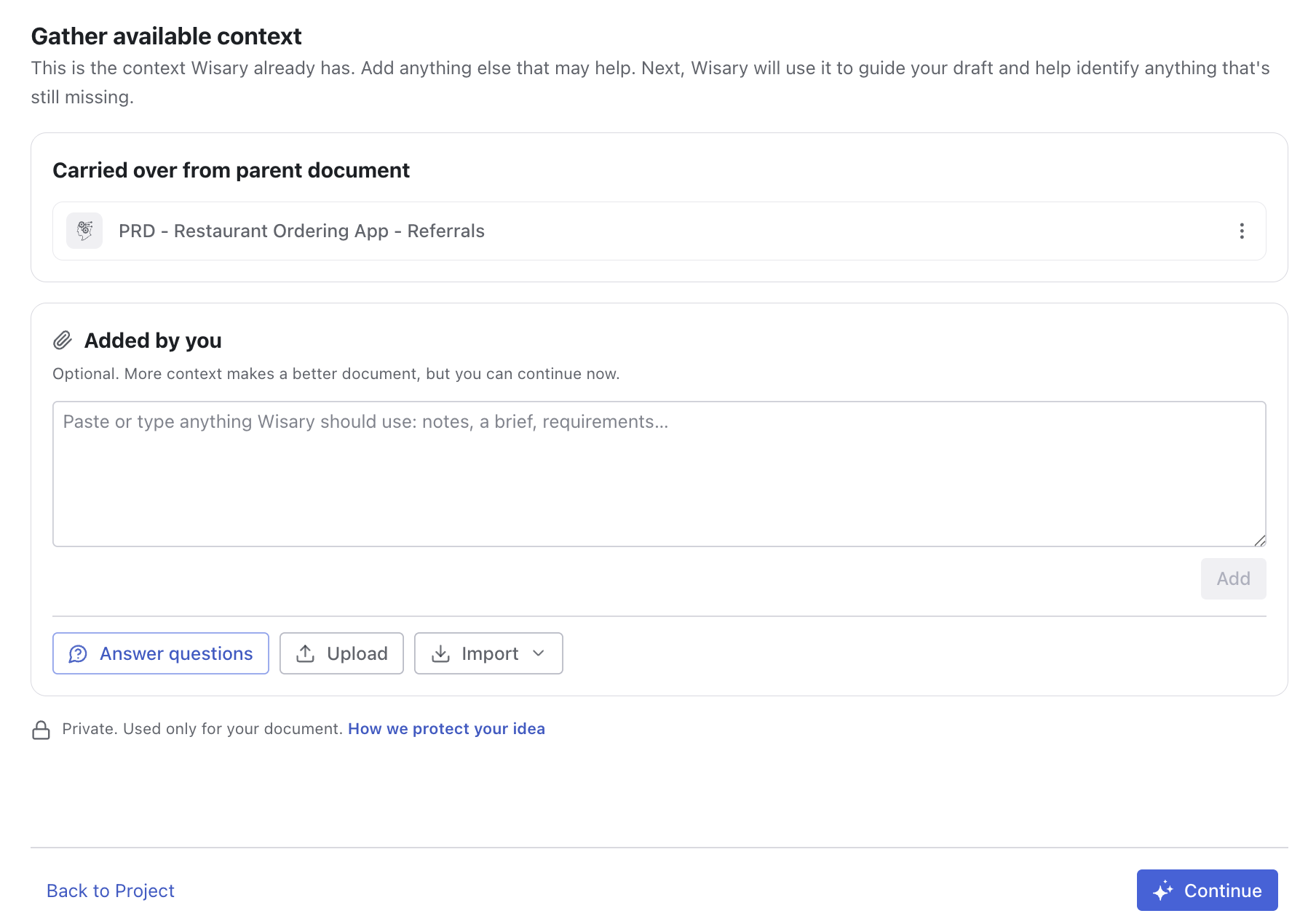
3. Context Follows the Work
Create a downstream document from a PRD and the parent's content and context carry over automatically. The Context step shows what was carried in versus what you added, so nothing is re-entered and nothing is lost.
Available where you work
File uploads, notes, Notion pages, Wisary documents, Import from AI, and Claude Design import are available in the Wisary web app. In the Confluence app, your existing Confluence pages serve as context instead.
Plans for Every Team
INDIVIDUAL PLAN (PER SEAT)
$19/month
Perfect for one PM or product builder to reduce iteration cycles with their team.
- Guided creation for every document type
- Reviewable AI suggestion diffs
- Insights quality checks
- Notion, Markdown, and Copy Document export
- Email support
TEAM PLAN (PER SEAT)
$19/month
Perfect for teams aiming for better alignment and faster cycles.
- Everything in the Individual Plan
- Shared workspace for your team’s projects and documents
- Use other Wisary documents as context
- Custom templates and organization data sources
- 10 seats minimum
- Annual billing: $16 per seat per month
Wisary for Confluence
From $3/user/month
For teams working in Confluence seeking full integration.
- Guided creation, refinement, and Insights in Confluence
- Publish documents as Confluence pages
- Use Confluence pages as context
- Custom templates and organization data sources on the Advanced edition
- 30-day free trial on every edition
Ready to align your team and your AI to build smarter and launch faster?
Wisary is built for Product Leaders and Product Managers who need to align growing or distributed teams, improve collaboration, and ensure clarity in product delivery. It’s especially valuable for:
Teams struggling with missed context in requirements
Leaders mentoring junior PMs
Organizations standardizing processes across multiple product squads